Budgets & Alerts
Set a spend or token limit per project (and per agent), and get alerted when usage crosses 80% and 100% — observational, never blocks an agent.
Budgets let you put a spend or token ceiling on a project and get told when you're approaching or past it. They're observational: TokenTelemetry reads agent logs after the fact, so a budget never caps or blocks a running agent — it tracks this period's usage against your limit and raises an alert.
Setting a budget
Open a project, go to the Config tab, and add a budget. Pick the unit (dollars or tokens), a limit, a period, and the alert thresholds.
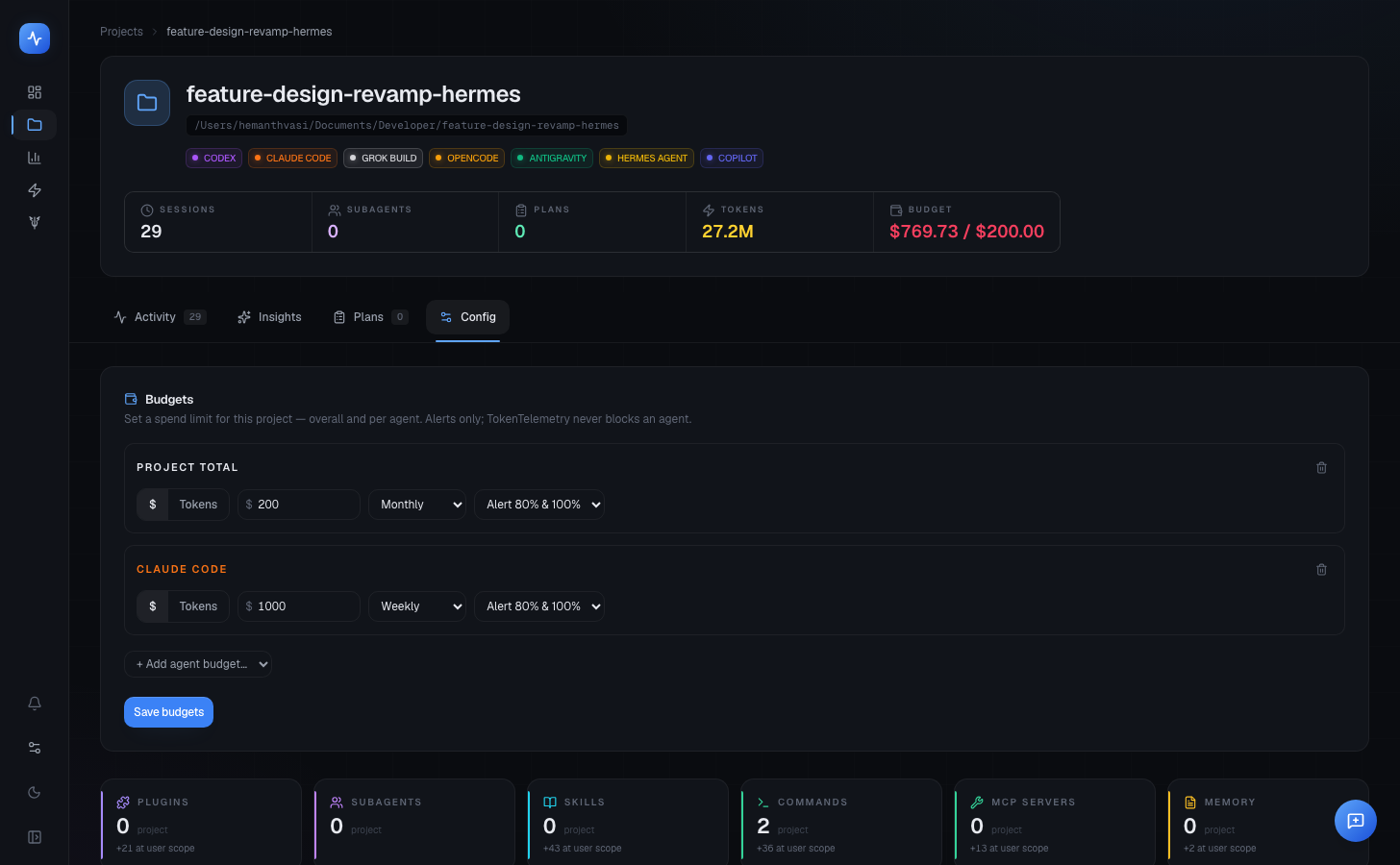
| Field | Options |
|---|---|
| Limit type | $ (USD) or tokens |
| Limit | Any positive number |
| Period | Monthly (calendar month), Weekly (from Monday), or Rolling 30 days |
| Alerts | Thresholds to fire at, as a fraction of the limit — 80% and 100% by default |
You can set a project total and, optionally, separate limits per agent — e.g. cap Claude Code on this project at $50/month while leaving the others unlimited. A budget with no agent filter covers the whole project.
Scope
A budget applies to the sessions matching its filters, so one mechanism covers each case:
- Project total — every agent on the project.
- Per agent — one agent on the project.
Windowing is in your local timezone, so "this month" lines up with the rest of the dashboard.
Seeing where you stand
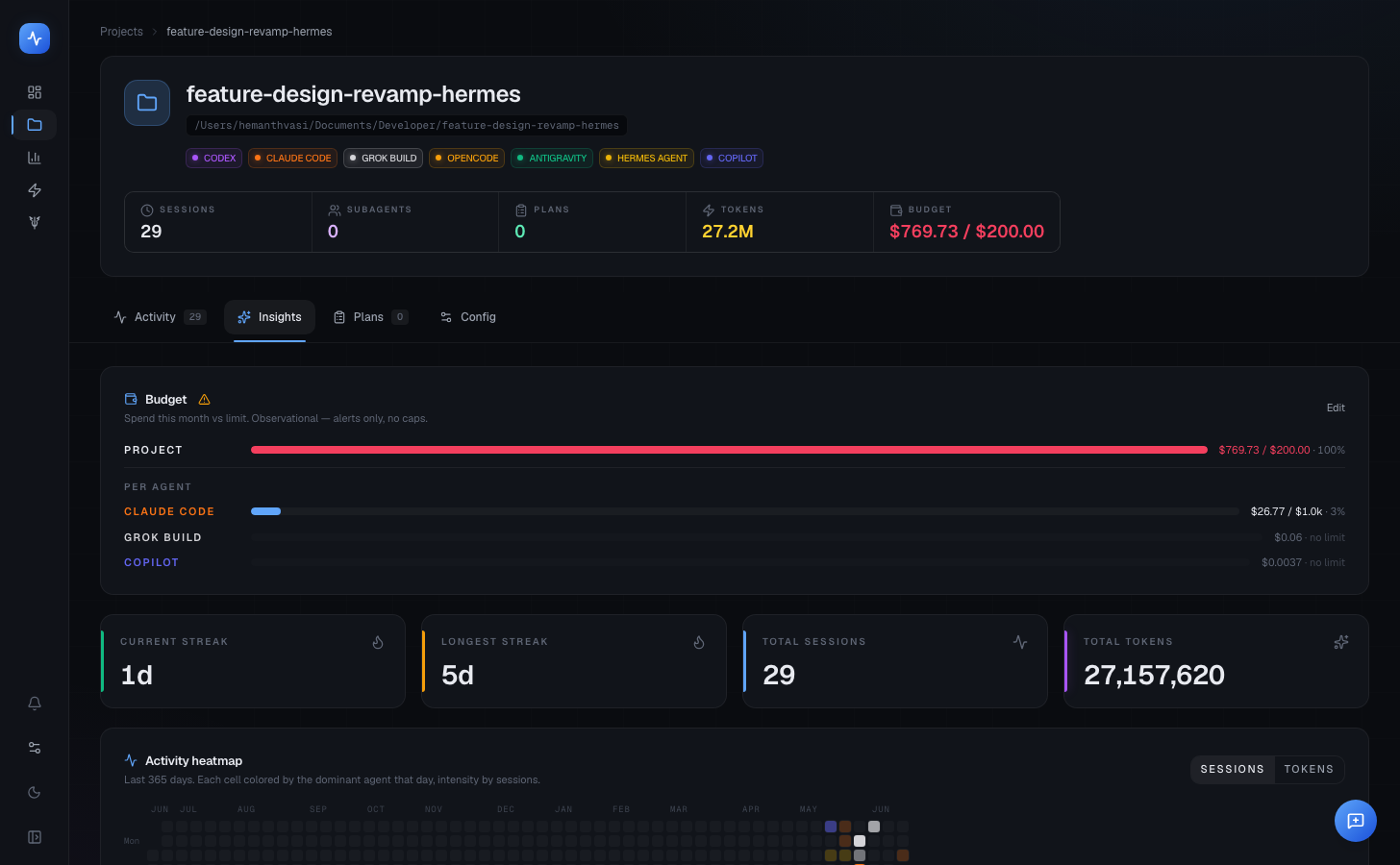
The project header carries a colour-coded budget pill (green → amber → red as spend climbs), and the Insights tab shows a budget card with the project total and a per-agent breakdown.
Alerts
When spend crosses a threshold (80%, then 100%), TokenTelemetry raises an alert. Alerts collect in the notification center — the bell at the bottom of the sidebar — and the newest one surfaces once as a banner so you notice it without watching the dashboard.
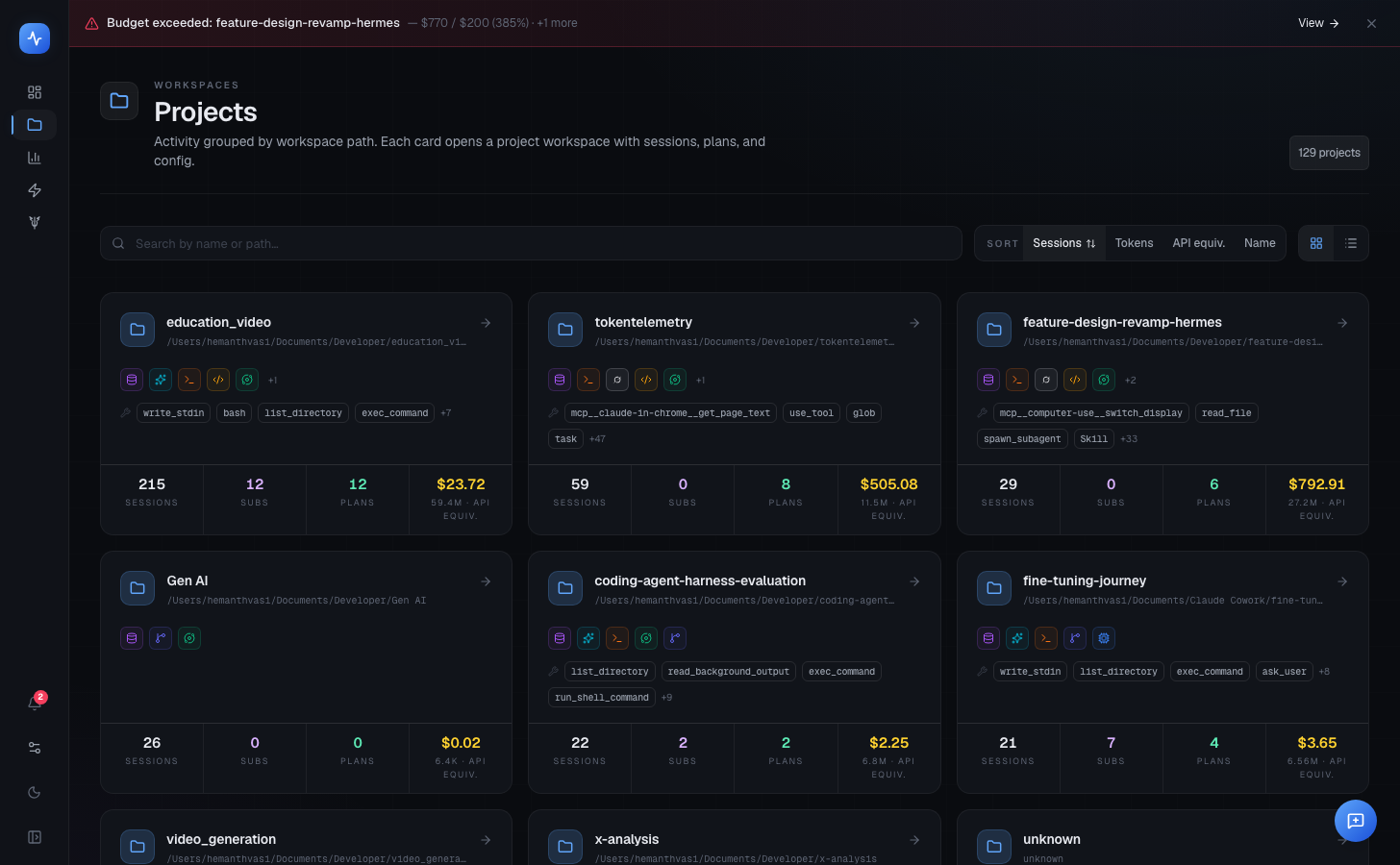
Each threshold fires at most once per period: 80% raises one alert, 100% raises one, and both reset at the start of the next period. Budgets are evaluated when the dashboard fetches data, so an alert appears the next time you load the app after crossing the line — not in real time.
Observational only
Tips
- Budgets are stored in
~/.tokentelemetry/budgets.json; alerts in~/.tokentelemetry/notifications.db. - Set a small limit to test the flow — if this period's spend already exceeds it, the alert shows up on the next refresh.
- For the billing mode of a session (subscription vs API vs local), see Billing & Cost Modes — a separate concept from budgets.