Update Check & Privacy
Control the optional update check and anonymous product telemetry — what's sent, how to disable each.
TokenTelemetry is 100% local by design. Your agent logs, session transcripts, token counts, and costs never leave your machine. Two narrow outbound features exist and can be disabled independently.
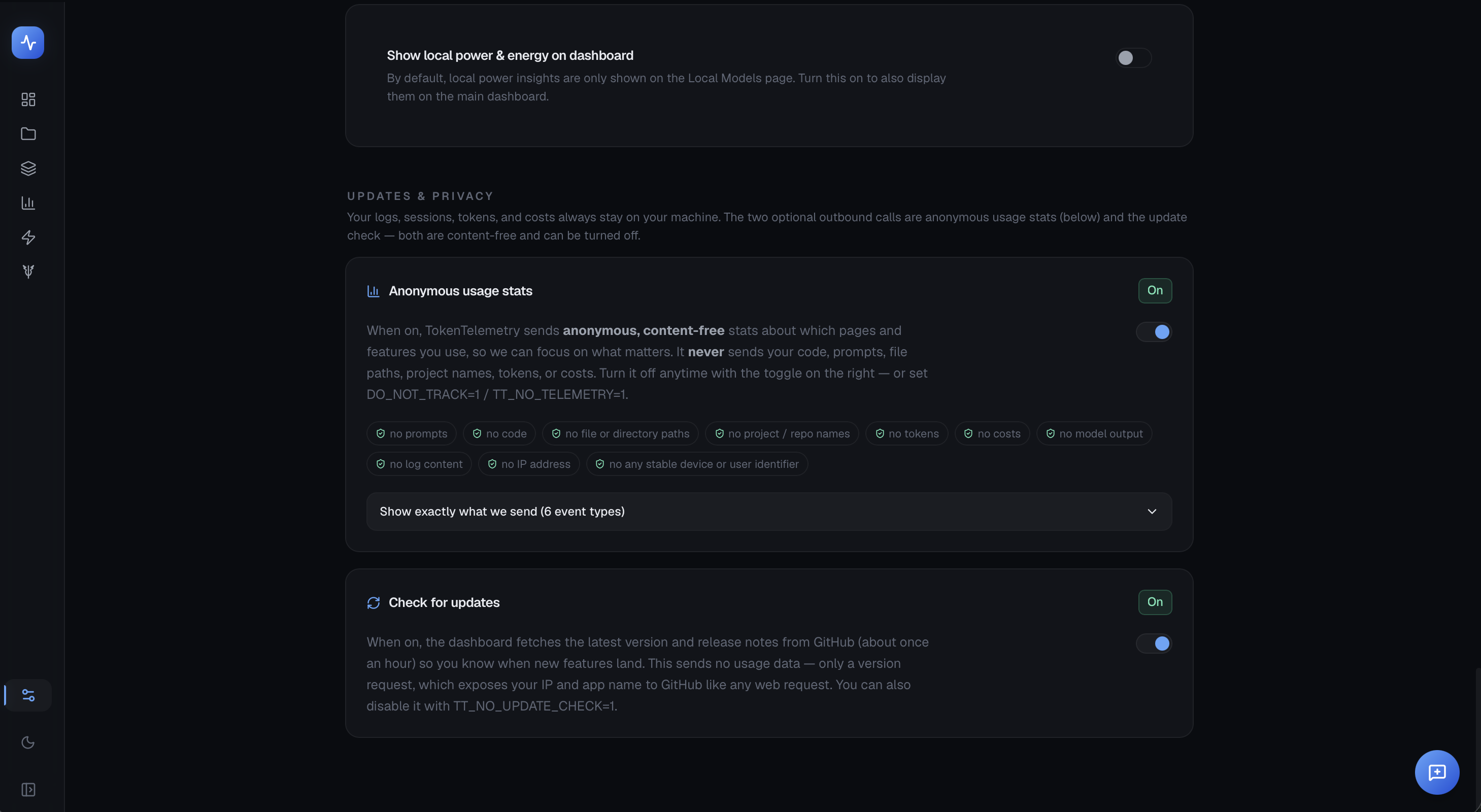
Update check
About once an hour, the dashboard fetches the latest version number and curated release notes from GitHub. This lets you see an in-app banner when a new version is available.
What is sent: A single HTTPS GET to GitHub's API containing no usage data — just a version request. Like any web request, it exposes your IP address and the "TokenTelemetry" User-Agent to GitHub.
What is not sent: Your sessions, tokens, costs, project names, file paths, or any other usage data.
Disabling the update check
In the app: Settings → Updates & privacy → toggle off Check for updates.
Via environment variable: Set TT_NO_UPDATE_CHECK=1 before launching TokenTelemetry. The env var takes precedence over the in-app toggle, so you can enforce it for all users on a machine (e.g. in air-gapped or egress-monitored environments):
TT_NO_UPDATE_CHECK=1 tokentelemetryOr add it to your shell profile:
export TT_NO_UPDATE_CHECK=1Anonymous product telemetry
TokenTelemetry optionally sends anonymous, content-free feature-usage events to help the maintainer understand which features are used and prioritize development. This is distinct from the update check.
What is sent: Event names only (e.g. "opened Analytics page", "generated summary"). No session content, no tokens, no costs, no file paths, no identifiers that could link events to a person or machine.
What is not sent: Anything from your agent sessions.
Telemetry is on by default (opt-out). It is automatically disabled in CI environments (CI=true) and when DO_NOT_TRACK=1 is set.
Disabling product telemetry
In the app: Settings → Updates & privacy → toggle off Share anonymous usage data.
Via environment variable: Set TT_NO_TELEMETRY=1 before launching. Like TT_NO_UPDATE_CHECK, this wins over the in-app toggle:
TT_NO_TELEMETRY=1 tokentelemetryDO_NOT_TRACK=1 also disables telemetry (respecting the Global Privacy Control convention).
Summary
| Feature | Default | Disable in app | Disable via env |
|---|---|---|---|
| Update check | On | Settings → Updates & privacy | TT_NO_UPDATE_CHECK=1 |
| Product telemetry | On | Settings → Updates & privacy | TT_NO_TELEMETRY=1 or DO_NOT_TRACK=1 |
Both toggles are stored in ~/.tokentelemetry/preferences.json.